MumBedroom · illustrationPerson in view
Room awareness. Family connection.
Stay close.
Stay close.
Give them space.
A clearer way to check in on the people you love. See room updates, respond to HELP, and share the responsibility with family.
Use it in your browser. No updates-list signup required.
Privacy-first room checksFamily access you control
Illustrated cards · design preview
Example room updatesOur family
DadLiving room · illustrationNo one in view
⌂Home◇Rooms○Family
A calm family overview.Concept only. Working app shown below.
Your phoneFamily app · browser, iPhone or Android
The room phoneDedicated Android camera · native beta
Close, without crowding
A quieter way to stay connected.
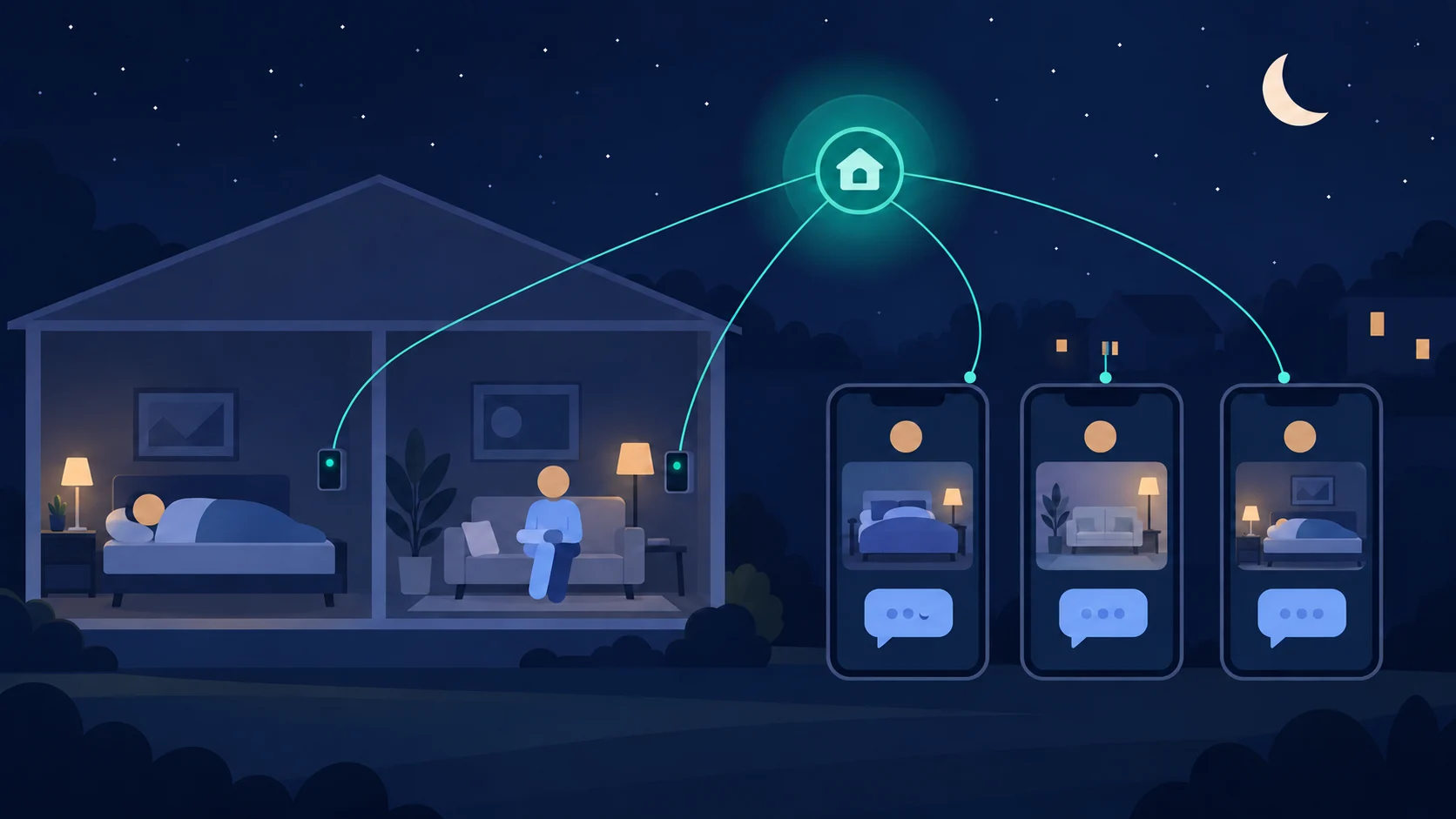
A room phone provides simple checks. Your family app helps the right person decide when to follow up.
Illustration · not live camera evidence
A simple start
One step at a time.
Ready to check in.
Sign in to the family app, then follow three clear steps.
- 1
Add your person and room
A familiar name and the room you want to check. Keep everyone’s rooms together.
Up to 5 people and 5 rooms - 2
Agree permission together
Record consent and confirm who should be contacted. The resident can always stop the camera.
No assumed permission - 3
Connect the room phone
Enter the room code on a separate Android phone. Position it, allow the camera, and start checking.
Connected is not yet watching
From room to response
A prompt, then a human decision.
The app helps families notice and coordinate. It does not replace a conversation, clinical advice or emergency services.
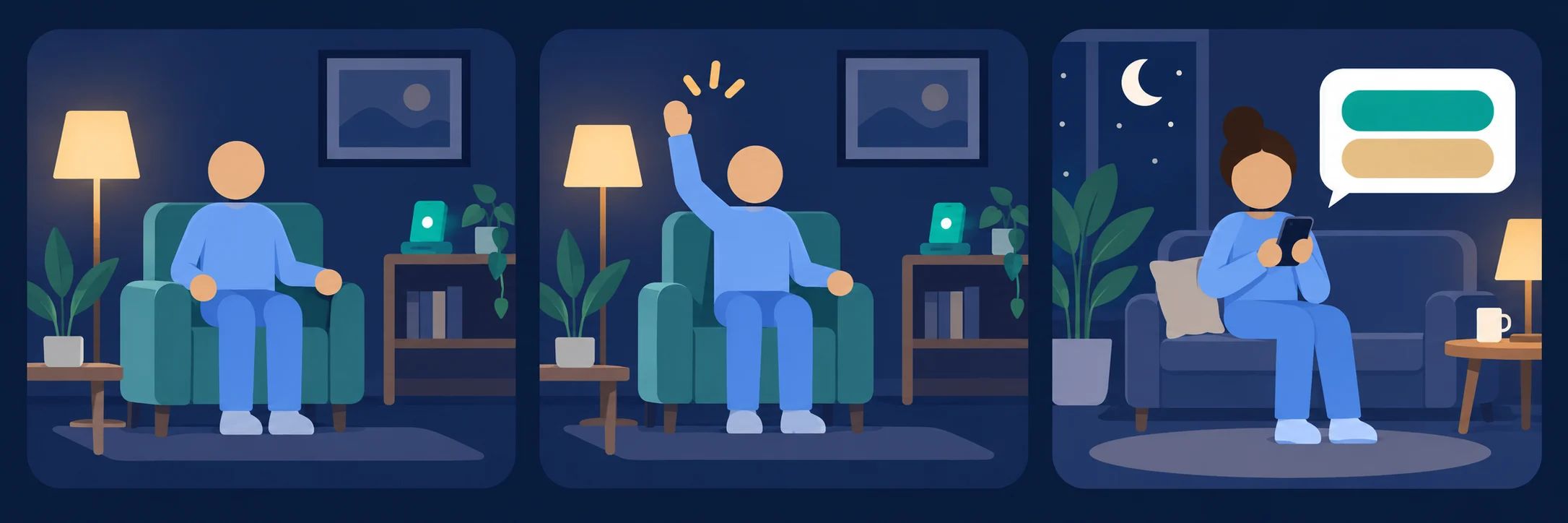 Illustration · not live camera evidence
Illustrated feature preview
Room context, without
turning home into a feed.
Coming soon. These illustrated concepts show the intended design direction, not the current app or live camera evidence.
01Family home · concept
Example room updatesOur family
MumBedroom · illustrationPerson in view
DadLiving room · illustrationNo one in view
HomeRoomsFamily
02Room view · concept
Bedroom · illustrationMum’s room
Example outline · not camera evidence
Example room updatePerson in view
OverviewHistorySettings
03Alert view · concept
Illustration of alert type · sampleRaised-arm example
Example outline · not camera evidence
Sample alertGesture availability depends on setup.Example next actionReview and contact family.
Open the working app
Illustrated screens · design preview · coming soon. Scene artwork and outline coordinates are invented examples.
Current working appActual browser-app screens
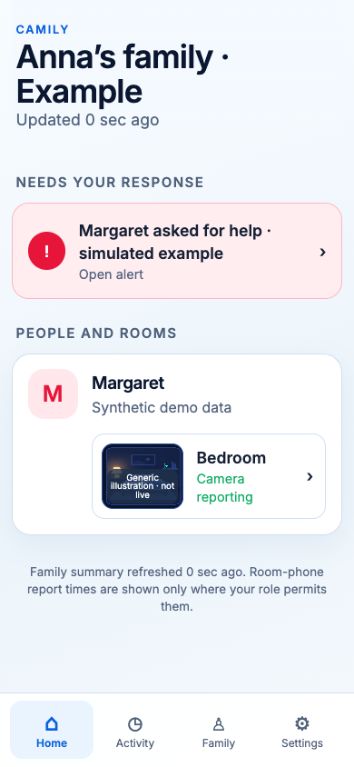
Your family, together
Labelled room illustrations keep the view calm. Status still comes from the room phone.
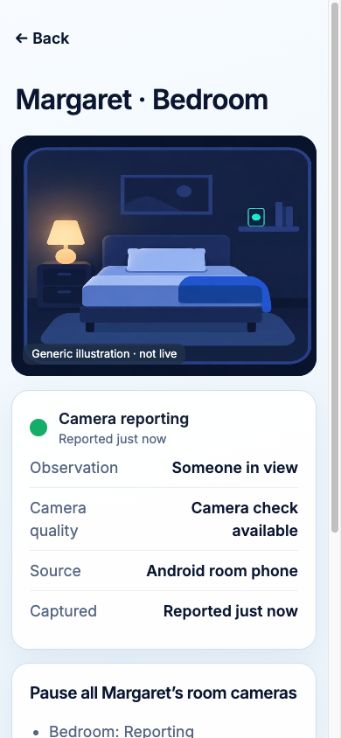
Room context, clearly
Check the latest report and pause room cameras. The illustration is not a photo of the room.
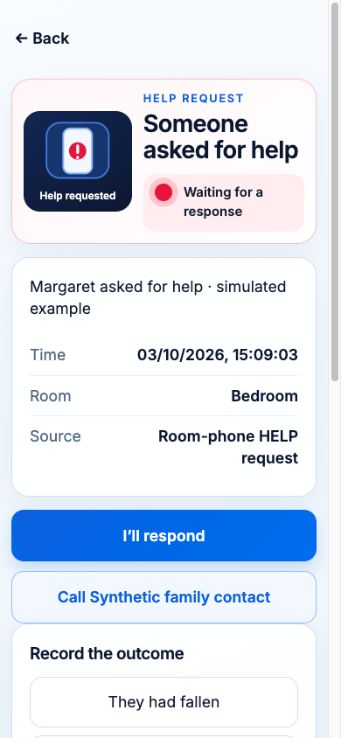
A useful next action
Review the help request, take responsibility, contact someone, and record the outcome.
Screens show fictional sample data. Observations are checking prompts, not medical conclusions.
One phone stays in the room.
Your family checks in from theirs.
Android room-phone beta
Two phones. Two clear jobs.
Your spare phone.
A little more awareness.
A dedicated Android phone runs local room checks. The family app receives status and alerts—not a live room-video stream.
- Camera preview and HELP on the room phone
- Keep the room app open, powered and connected
- Stop monitoring on the room phone at any time
The family app works immediately in your browser. The separate Android room app currently needs beta access.
Private by design. Honest by default.
A checking layer.
Not a camera broadcast.
Checks stay on the phone
In strict privacy mode, camera frames are processed locally and discarded. No routine image or video upload.
Your family controls access
Invite trusted people, choose their role, and manage who can respond or change settings.
Clear about the limits
Camily can miss an event or raise a false alert. It is not a medical device or emergency service. In an Australian emergency, call 000.
Supporting a care team?
There’s a place for your team, too.
Authorised providers have a separate portal. Family permission stays at the centre.
Optional product updates
Stay in the loop.
Want news about Camily and Android room-phone availability? Leave your email here.
This is only an updates list. It does not create a family account or subscription.
Or open Camily now